Wedding Crest Invitations
One little emblem.
A beautifully connected beginning.
A wedding crest brings your initials, colors and meaningful details together. See how one real studio-generated crest becomes the starting point for an invitation and its matching paper pieces.
Create my invitation crestOne free preview, within your allowance. No account needed to try. Sign in to save & download your crest.
Follow the complete example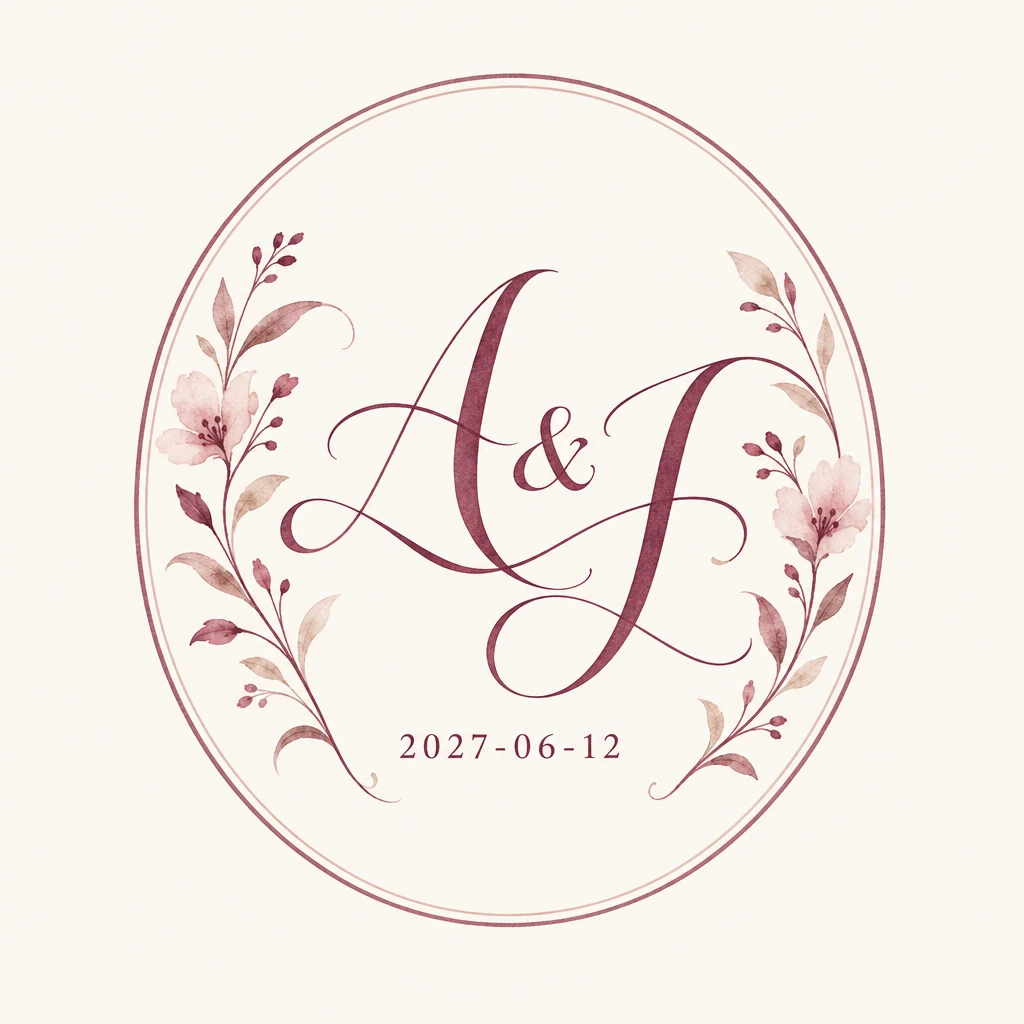
Together with their families
Alex & Jamie
joyfully invite you to their wedding
Saturday, June 12, 2027
Four o’clock in the afternoon
The Garden House
Dinner & dancing to follow
Studio layout demonstration; venue and wording are illustrative.
The details behind this invitation.
Start with the names and palette, see the actual generated artwork, then place that same image above your invitation wording.
A little about you.
- Names
- Alex & Jamie
- Lettering
- A & J
- Wedding date
- Style & frame
- Botanical Watercolor · Oval
- Detail
- Minimal
The color palette
- Berry#773E51
- Blush#C99F98
- Ivory#FBF8F3
Together with their families
Alex & Jamie
invite you to celebrate their wedding
Dinner, dancing & a lifetime of love
Now, make it your story.
Start with this watercolor style and palette, then add your own names and date.
One free preview. Sign in to download the crest as PNG or SVG. Invitation layout not included.
Three ways to arrange your wedding crest invitations.
Keep the artwork intact. Change its placement, the surrounding space and the typography to find a layout that feels like you.
Together with their families
Alex & Jamie
joyfully invite you to their wedding
Saturday, June 12, 2027
Four o’clock in the afternoon
The Garden House
Dinner & dancing to follow
01 / The classic crest
A centered crest introduces the invitation. Keep the names below it and leave generous space around the date and venue. A natural fit for a botanical wedding.
Together with their families
Alex & Jamie
joyfully invite you to their wedding
Saturday, June 12, 2027
Four o’clock in the afternoon
The Garden House
Dinner & dancing to follow
02 / A berry border
Repeat one color from the artwork in a fine border. The ivory panel makes the crest’s existing background feel intentional; it does not require transparent artwork.
Together with their families
Alex & Jamie
joyfully invite you to their wedding
Saturday, June 12, 2027
Four o’clock in the afternoon
The Garden House
Dinner & dancing to follow
03 / Names take the lead
A smaller crest and left-aligned wording create a quieter composition. Check the initials and date at the final size before choosing this layout.
These are layout ideas using the same original artwork, not three separate AI generations. Invitation layouts are not included in the crest download.
Carry your crest through the invitation suite.
Let the invitation lead. Repeat the colors, serif lettering and a smaller crest on the supporting cards, while giving each piece one clear job.
Kindly reply
By May 12, 2027
Name(s)Joyfully accepts · Regretfully declines
Dietary requirementsThe RSVP card
Keep the reply date and response fields easy to find. A small crest ties it back to the main invitation.
The little details
THE CELEBRATION
Ceremony at four
Dinner and dancing to follow
Dress for a garden celebration
Alex & Jamie · June 12, 2027
The details card
Move practical information here. Add your real address, travel guidance and wedding website as separate text.
Something lovely
is on its way.
The envelope reverse
A crest on the back gives the suite a shared signature. Ask your printer about envelope stock and printable areas.
Digital layout demonstrations, not photographs of printed products. Dates and wording are examples; use your own event details.
How to make wedding invitations with your crest.
Make the crest personal.
Start with this example’s botanical watercolor style, oval frame and three colors, then enter your own names and wedding date. Choose the lettering you want and review your brief before generating. The preset is a starting point; each result is unique.
Check, save and download the artwork.
Read every initial and date digit in the preview. Sign in to save and download PNG or SVG. PNG preserves the raster artwork; SVG is a vector tracing with lettering as shapes. Neither format makes the lettering editable or automatically removes the background.
Build the invitation around it.
In Canva or another layout editor, start with your printer’s requested card size. For a 5 × 7 inch portrait example, try the crest around 2 inches wide above the names. Keep its proportions and leave room for the time, venue and RSVP information. Treat these measurements as a starting layout, not a print specification.
Upload the crest, pair it with a compatible ivory background, and add all event wording in separate text boxes. See our step-by-step Canva instructions.
Coordinate the supporting pieces.
Reuse the same image and colors for your reply and details cards. When the crest is small, check whether the date and fine floral lines are still legible. You can repeat just the palette and typography on a tiny piece instead of squeezing in the entire crest.
Proof the final invitation before printing.
Export the complete invitation in the format your printer requests; PDF Print is a common option in Canva. Confirm the final dimensions, bleed, crop marks and color requirements with the printer. A PNG placed in a PDF still has its original resolution. Compare any SVG tracing against the original artwork and order a sample before the full run.
For Canva’s current export guidance, see margins, bleed and crop marks. Follow your chosen printer’s specifications.
A few things to know before you begin.
What is a wedding crest invitation?
It is an invitation that features a personal emblem, often combining a couple’s initials with flowers, a frame or meaningful symbols. The crest becomes a recurring visual element across the invitation suite.
How is a crest different from a wedding monogram?
A monogram focuses on initials. A crest usually places those initials inside a larger composition of borders, flowers or other details. Monogram wedding invitations can be very minimal; a crest adds a more decorative focal point.
Do I receive a finished invitation template?
The download includes your crest artwork as PNG or SVG. The invitation, RSVP, details card and envelope layouts shown here are inspiration, not downloadable templates or a printing service. Arrange your downloaded crest and event wording in a layout editor.
Can I place the crest on a colored invitation?
The current artwork includes its background. An ivory panel on a colored card can make this part of the layout, as in the berry-border example. For a seamless colored background, prepare and check a transparent version in an image editor first; SVG export alone does not remove the background.
Can I change the names after downloading?
Names inside the crest are part of the artwork, not editable text. Check them before downloading. The invitation wording you add separately in Canva or another editor remains editable.
Still deciding on the artwork? Compare our wedding crest ideas for ribbon, floral and pet-inspired directions before choosing your invitation layout.